

API keys authenticate requests to the Summand REST API. Each key is tied to your user account and inherits the same access — owned datasets plus anything explicitly shared with you.Documentation Index
Fetch the complete documentation index at: https://docs.summand.com/llms.txt
Use this file to discover all available pages before exploring further.
Create a key
Open settings
Sign in at summand.com and open Settings.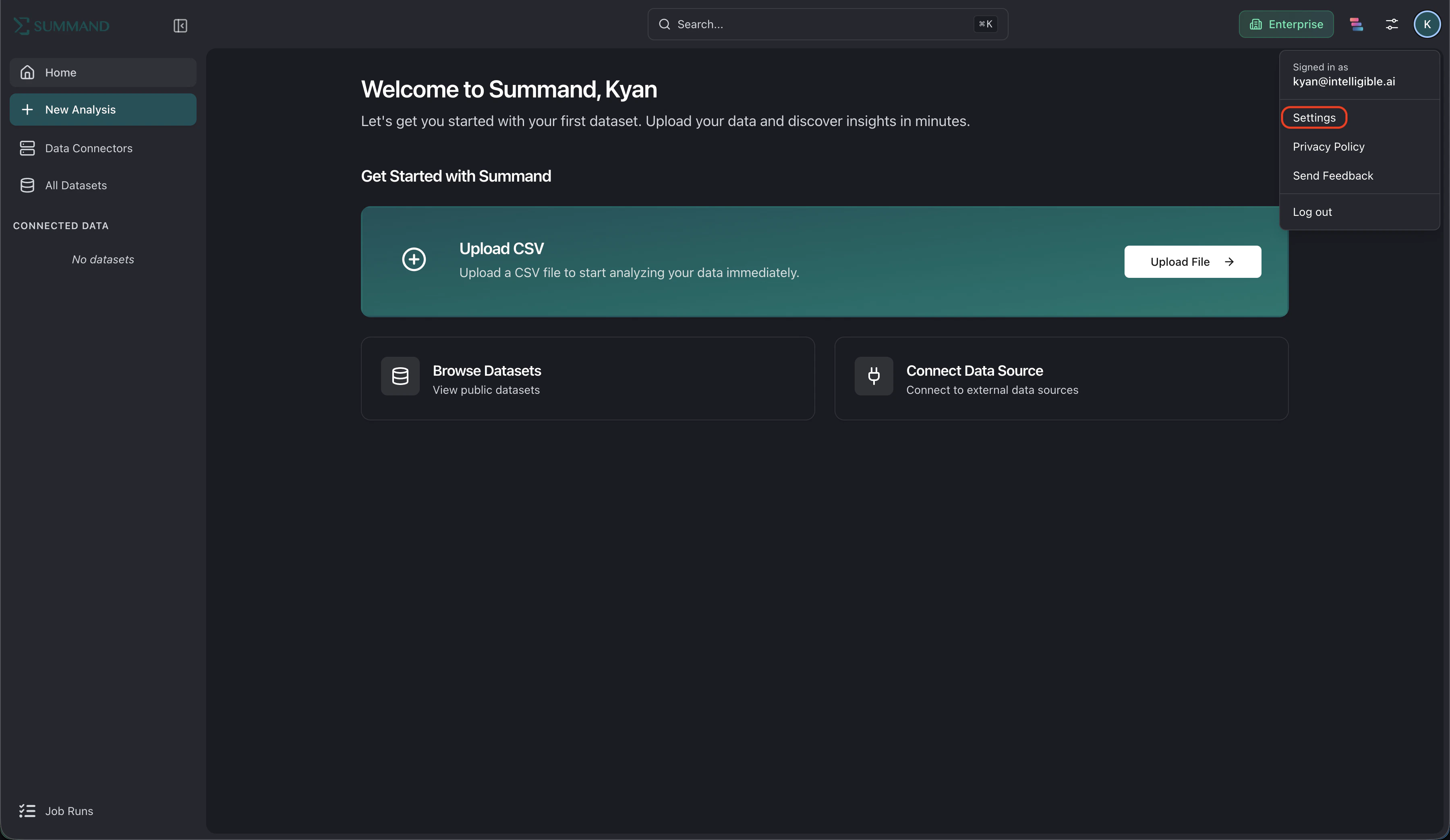
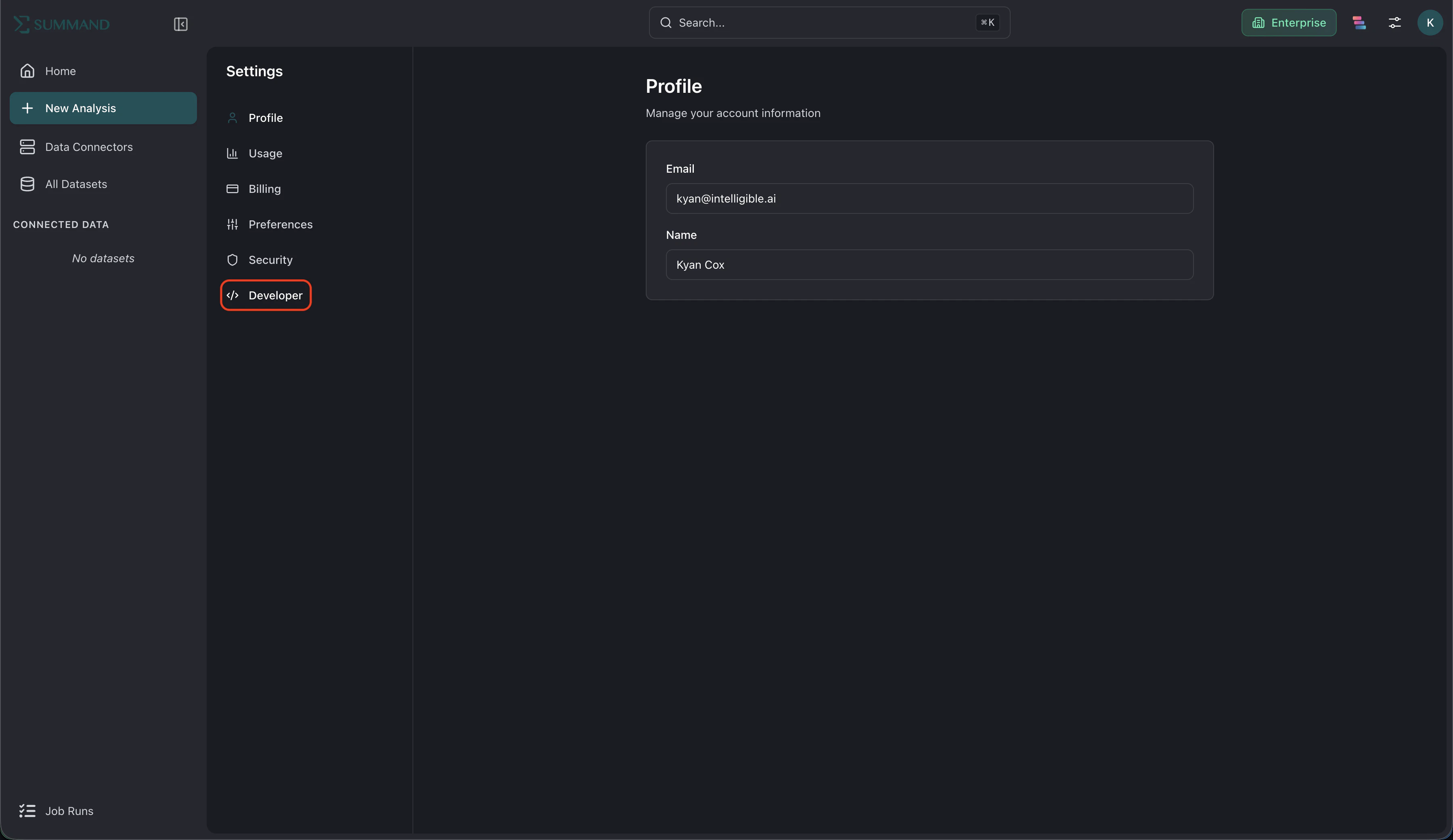
Create a new key
Click New API key, give it a descriptive name (for example, “ETL pipeline” or “Personal scripts”), and confirm.

Use the key
Pass the key as a Bearer token on every request to the Summand REST API:API keys are for direct REST API access. The Summand MCP server uses OAuth instead — there’s no need to copy a key into claude.ai or ChatGPT.
Revoke a key
If a key leaks or you no longer need it, revoke it from the same Developer tab. Revocation is immediate — the next request using that key will return401 Unauthorized.

Best practices
- One key per integration. Generate a separate key for each script or service so you can revoke them independently.
- Rotate periodically. Replace long-lived keys on a schedule that matches your security policy.
- Use the MCP server for AI clients like claude.ai and ChatGPT. It authenticates via OAuth — no API key required.