

Endpoint
Authorization header.
Add to claude.ai
1
Open the Connectors page
Go to claude.ai/settings/connectors, or from claude.ai navigate to Settings → Connectors.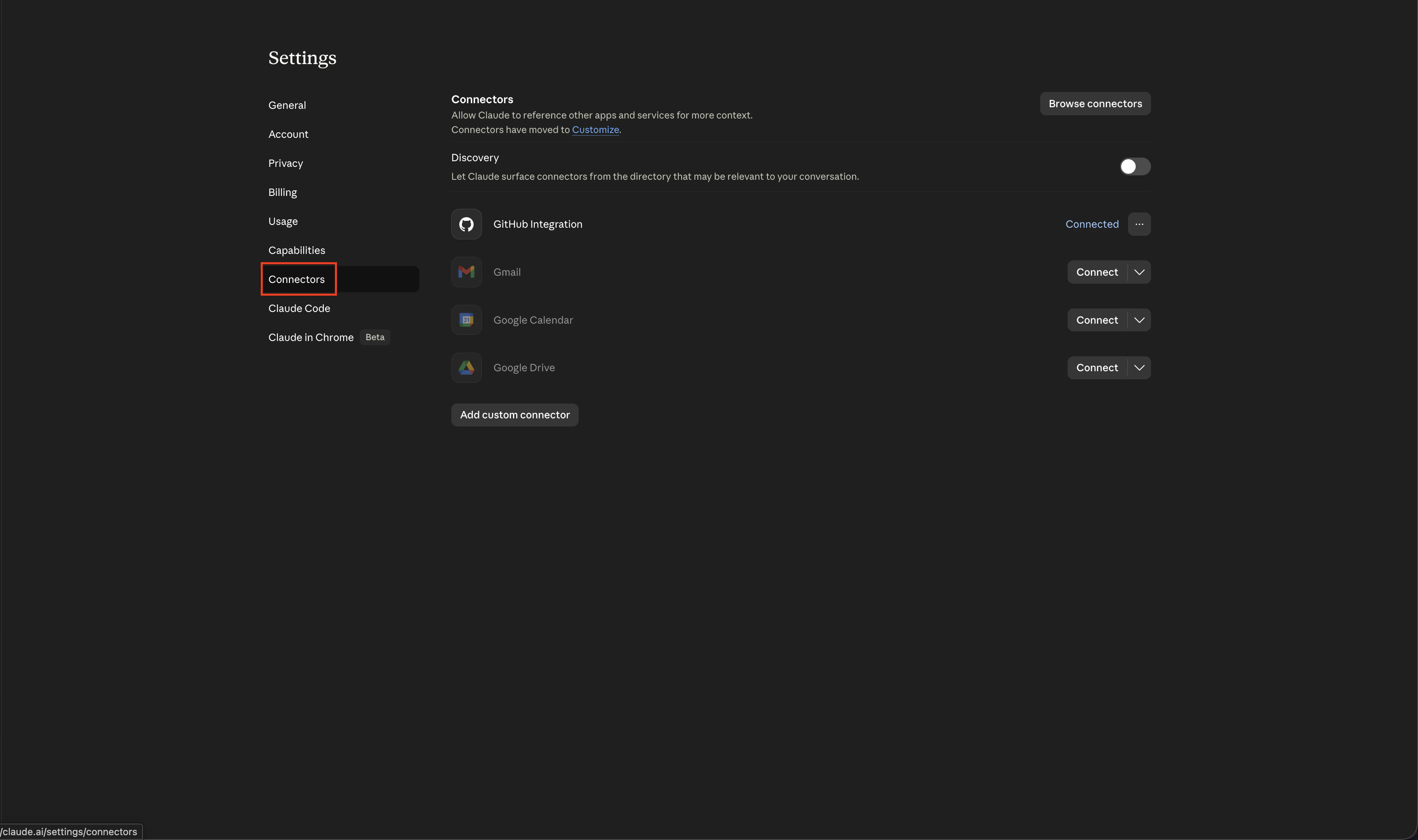
2
Add a custom connector
Click Add custom connector.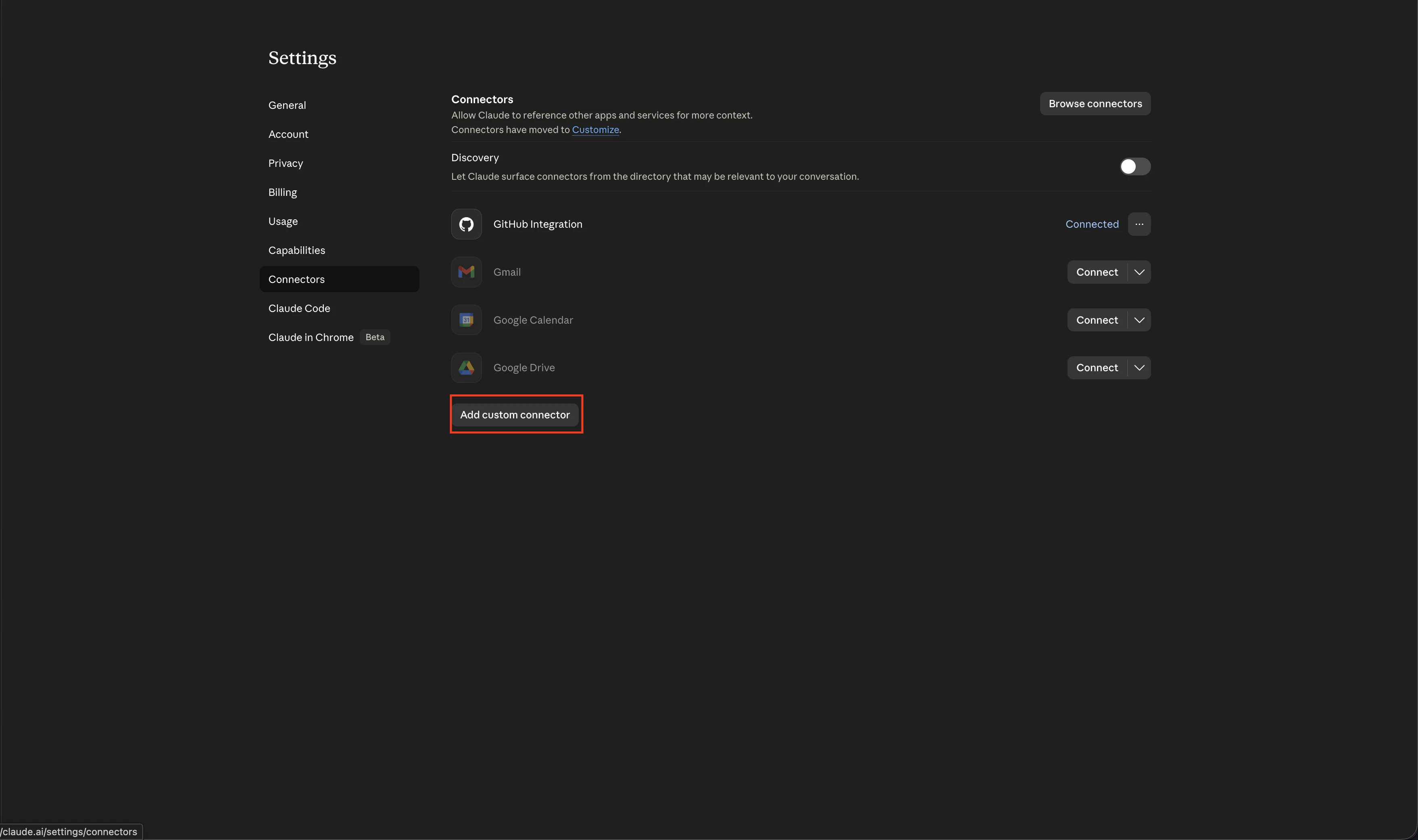
3
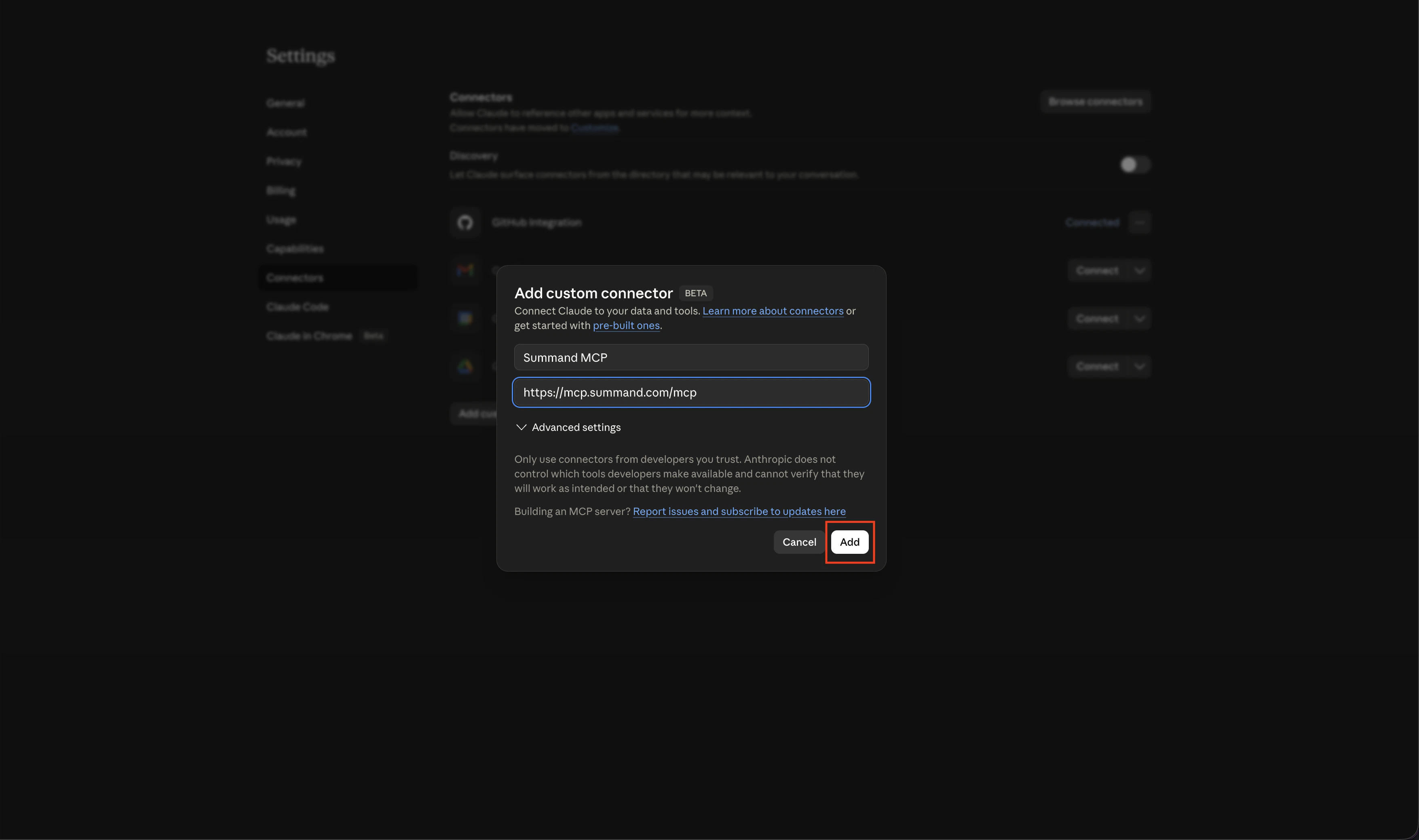
Enter the server details
- Name: anything you want (e.g.
Summand MCP) - Remote MCP server URL:
https://mcp.summand.com/mcp
4
Connect
Click Connect on the new entry.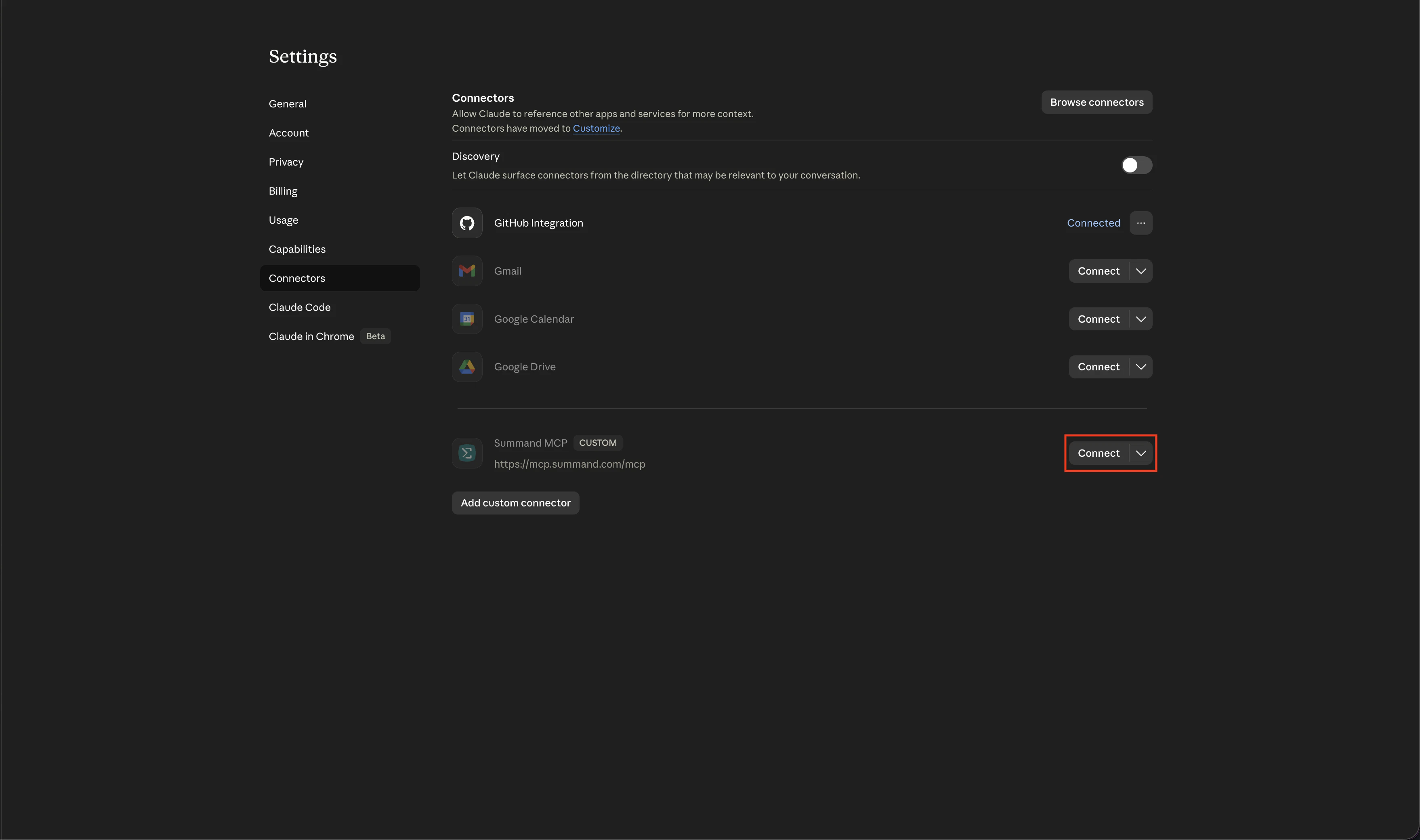
5
Sign in to Summand
You’ll be redirected to 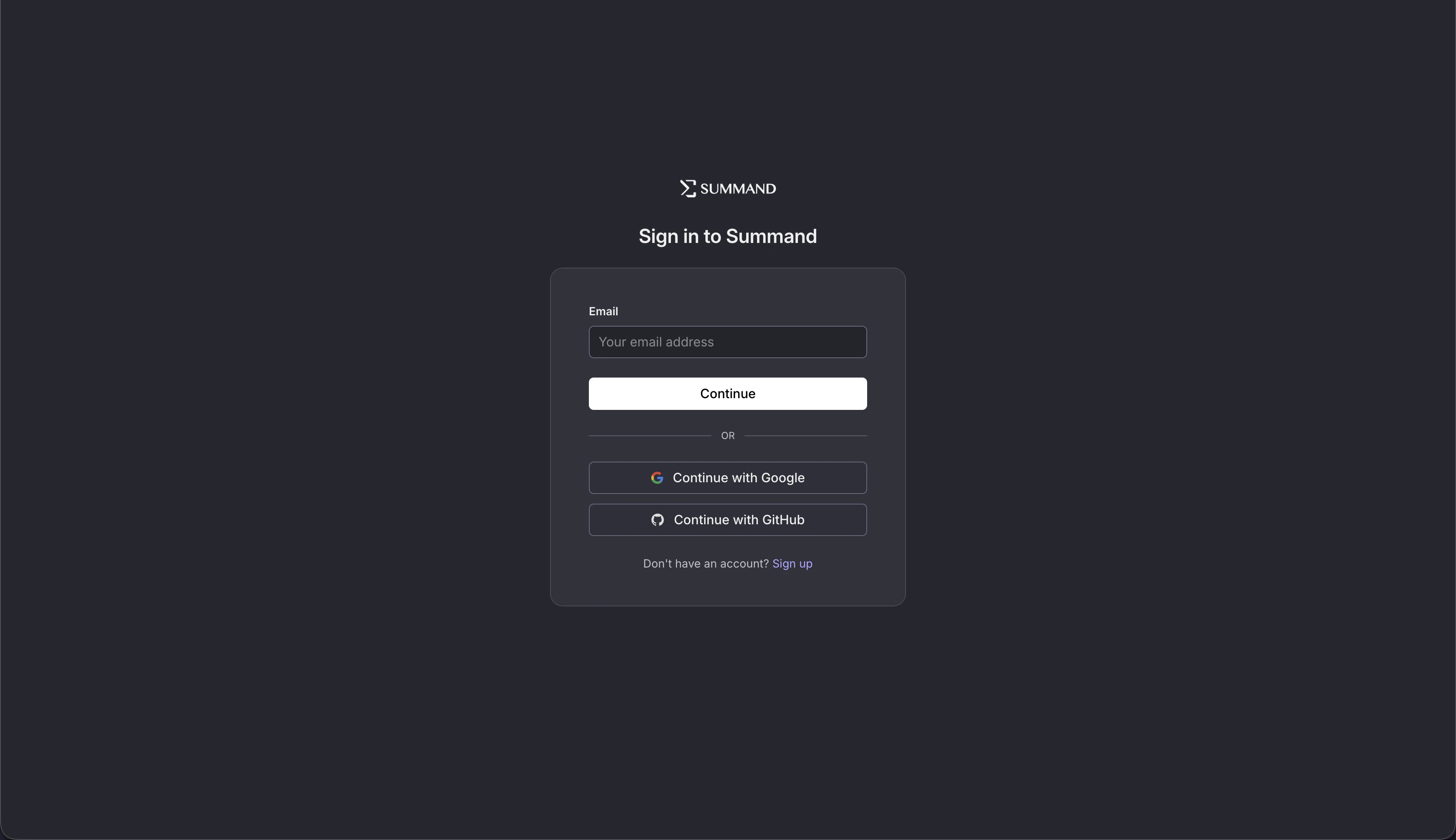
login.summand.com. Sign in with the same account you use at summand.com.6
Try it
Back in claude.ai, start a new conversation and ask about your data — for example, “What data connectors do I have in Summand?” Claude will request permission to call the relevant tool.
Add to ChatGPT
1
Open the Apps settings
Go to chatgpt.com/#settings/Connectors, or from chatgpt.com navigate to Settings → Apps.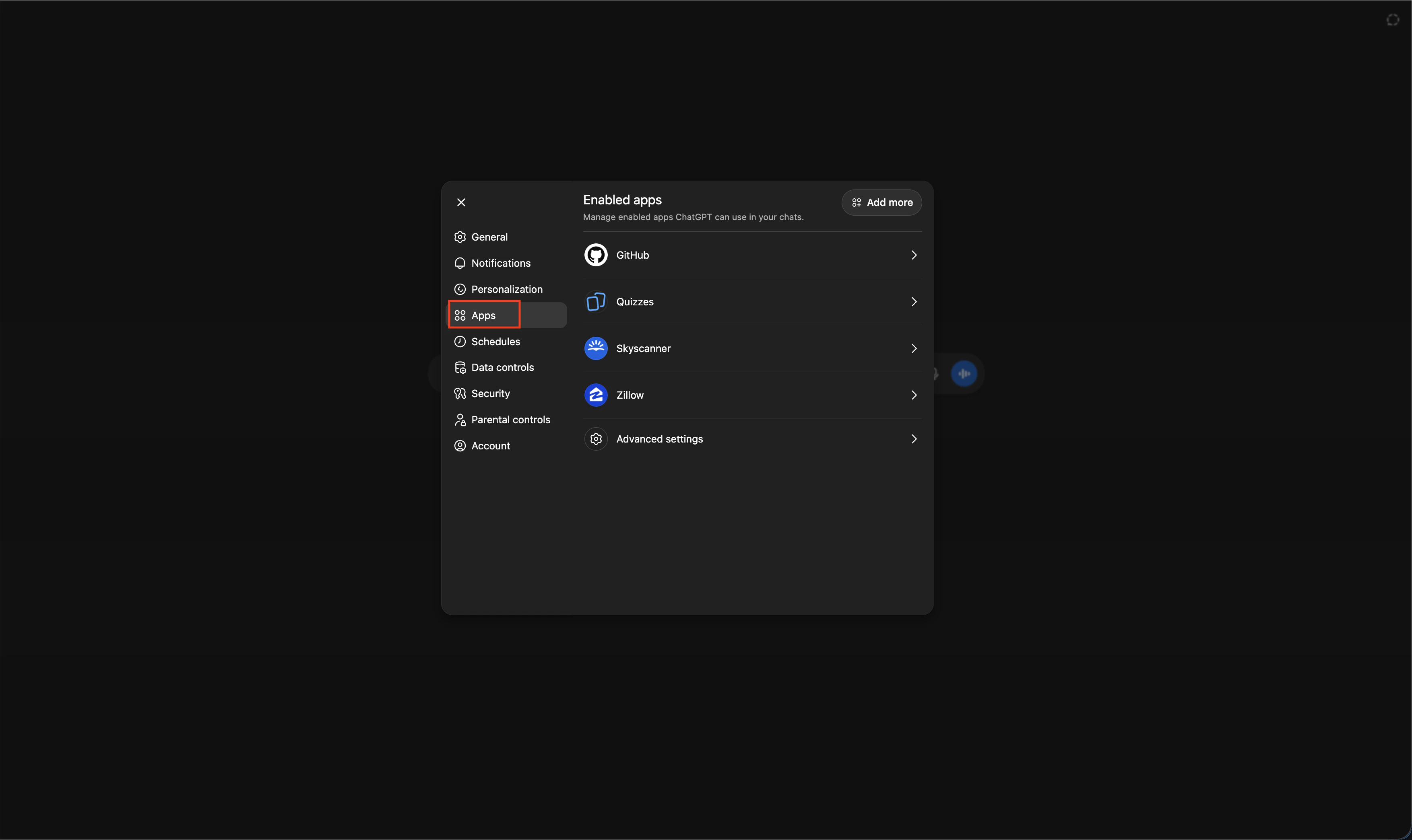
2
Enable developer mode
Open Advanced settings and toggle Developer mode on. This is required to connect to external MCP servers.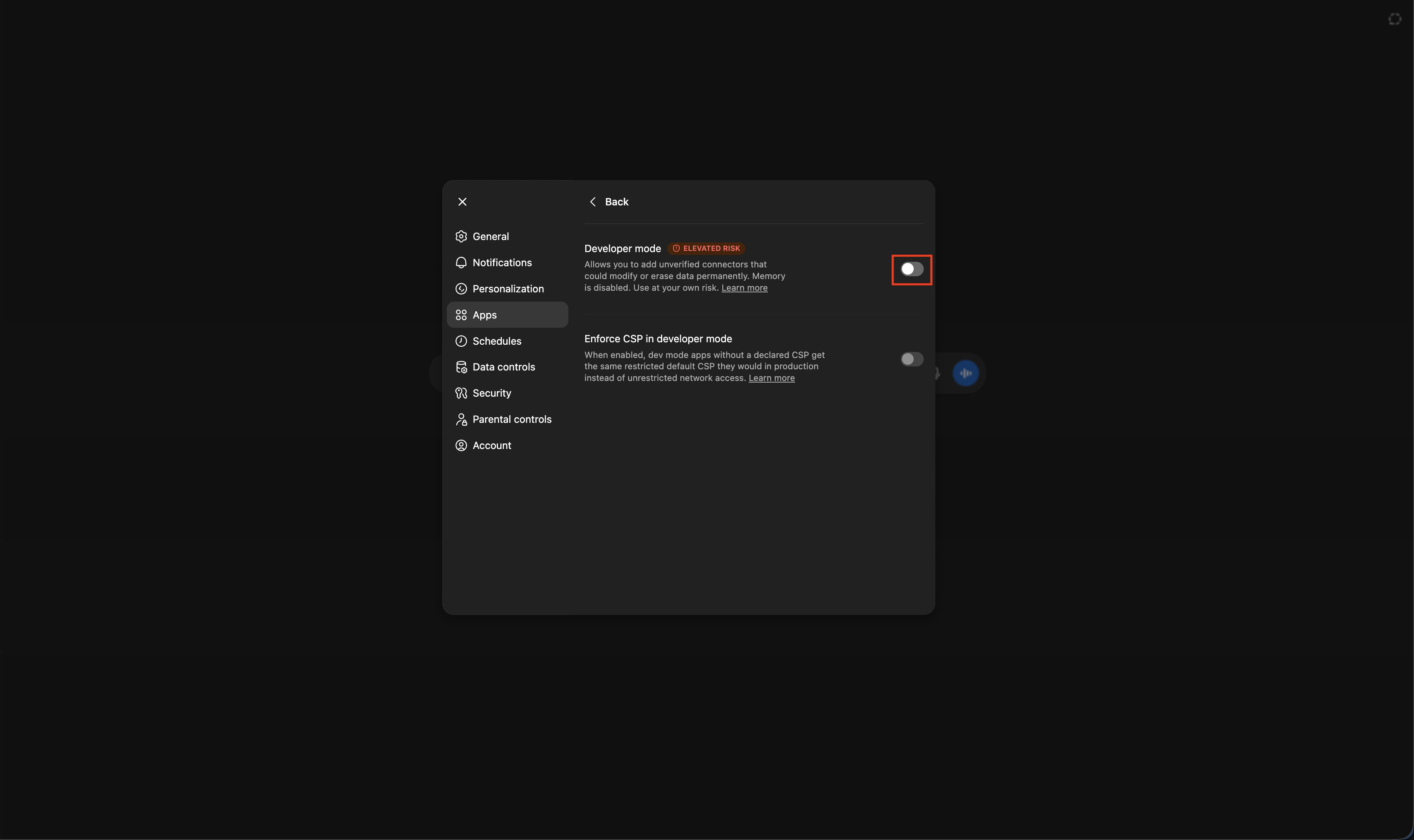
3
Create an app
Click Create app at the top of the modal.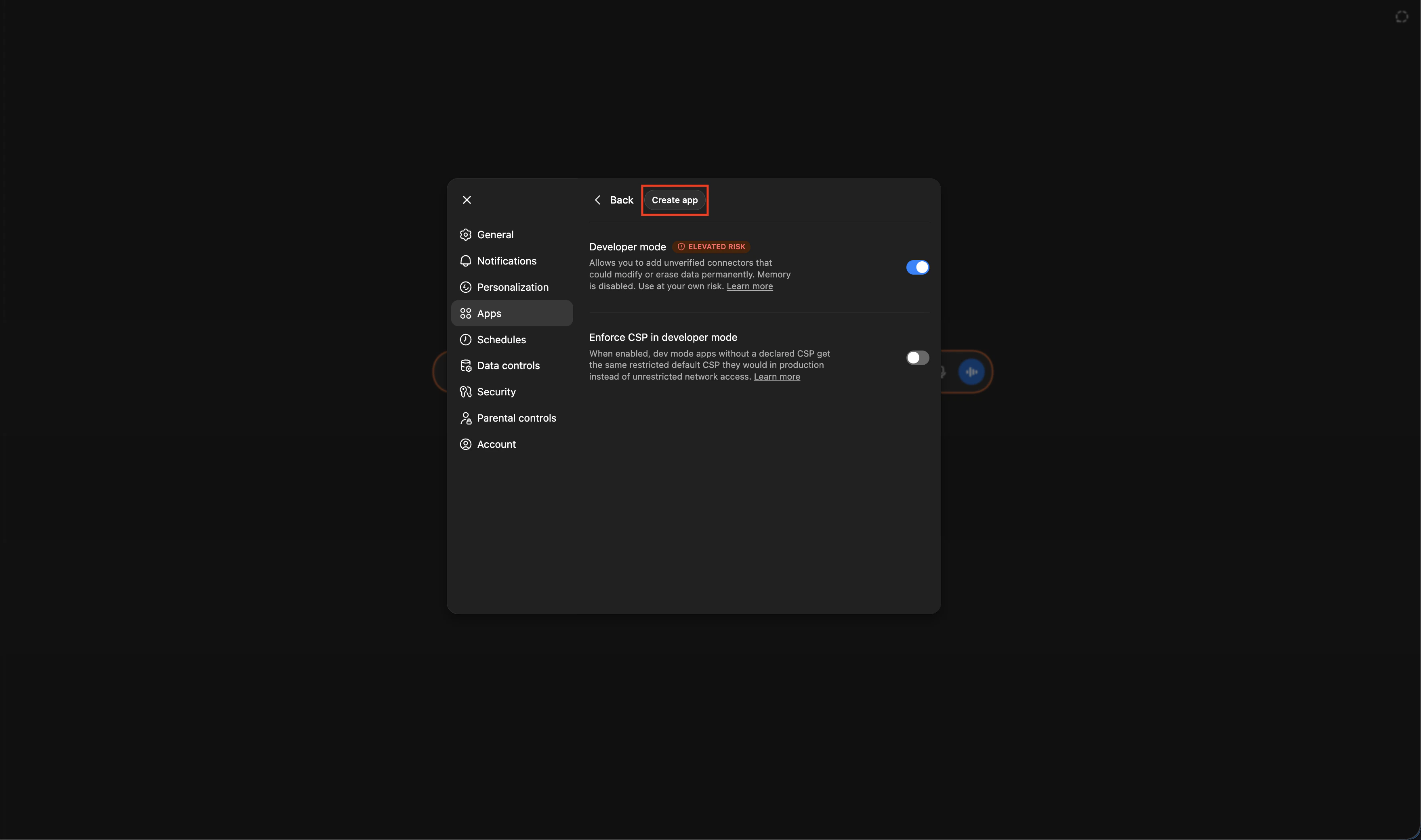
4
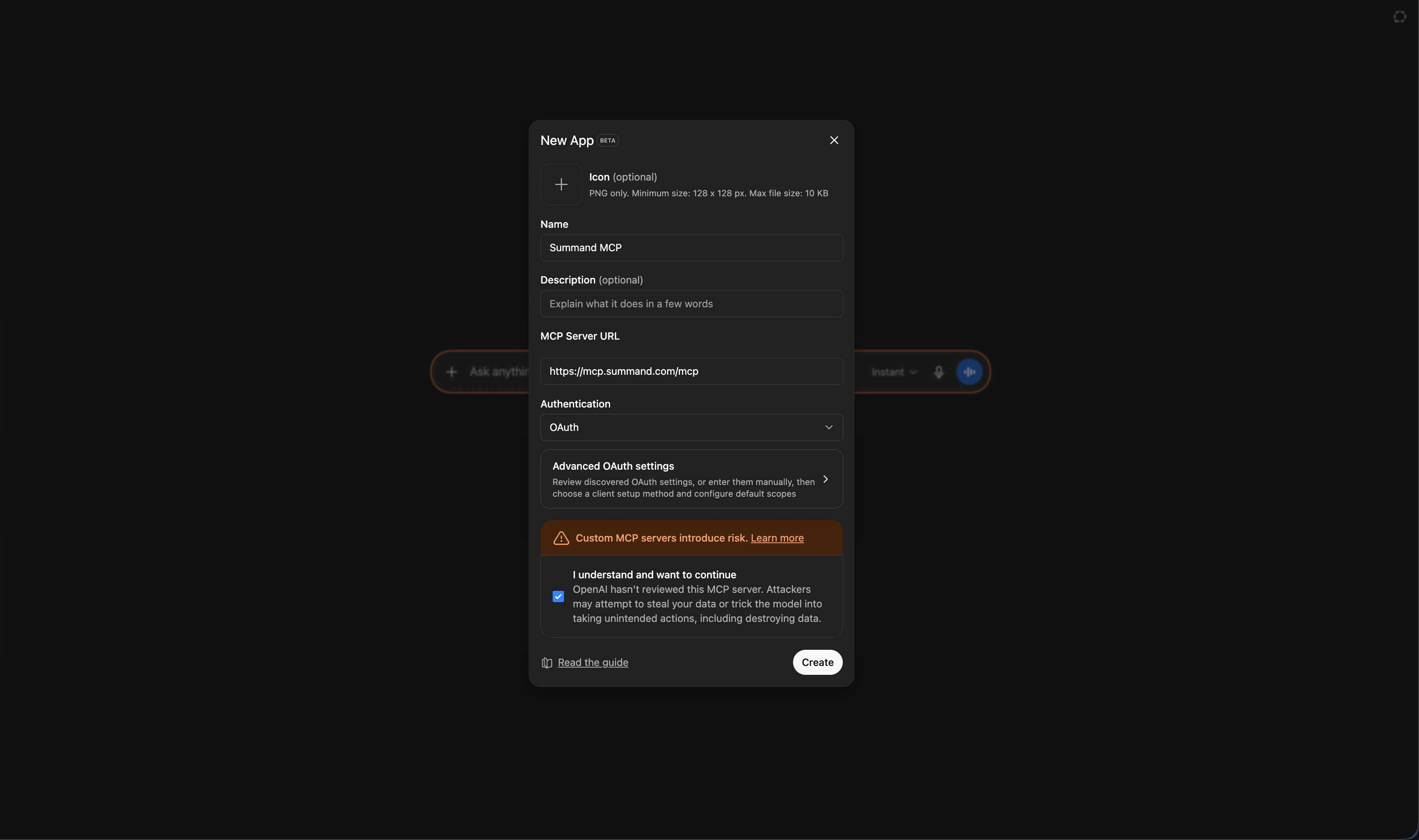
Enter the server details
- Name: anything you want (e.g.
Summand MCP) - MCP server URL:
https://mcp.summand.com/mcp
5
Authorize Summand
You’ll be redirected to 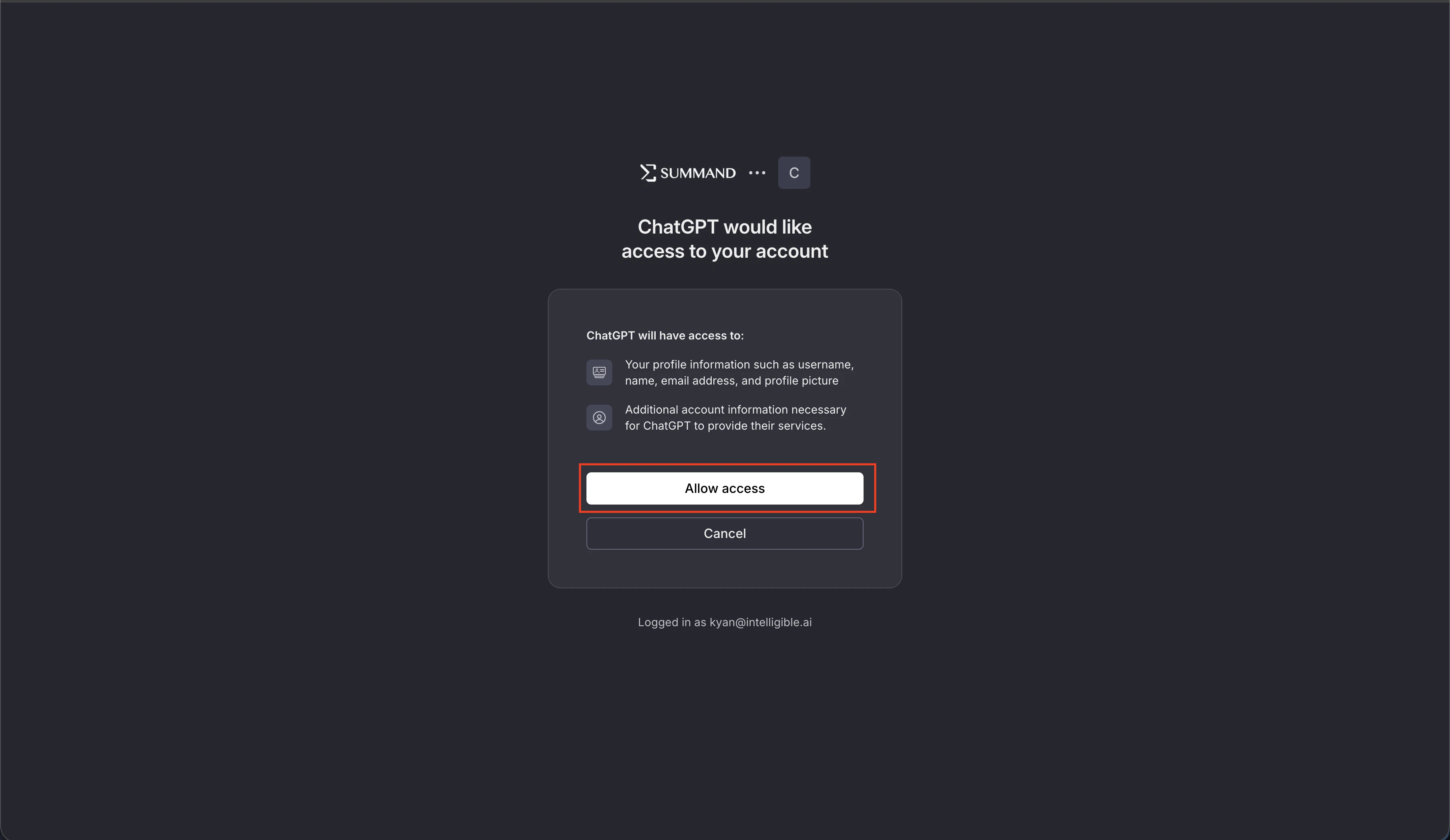
login.summand.com with the prompt “ChatGPT would like access to your account”. Click Allow access.6
Try it
Open a new ChatGPT chat and type 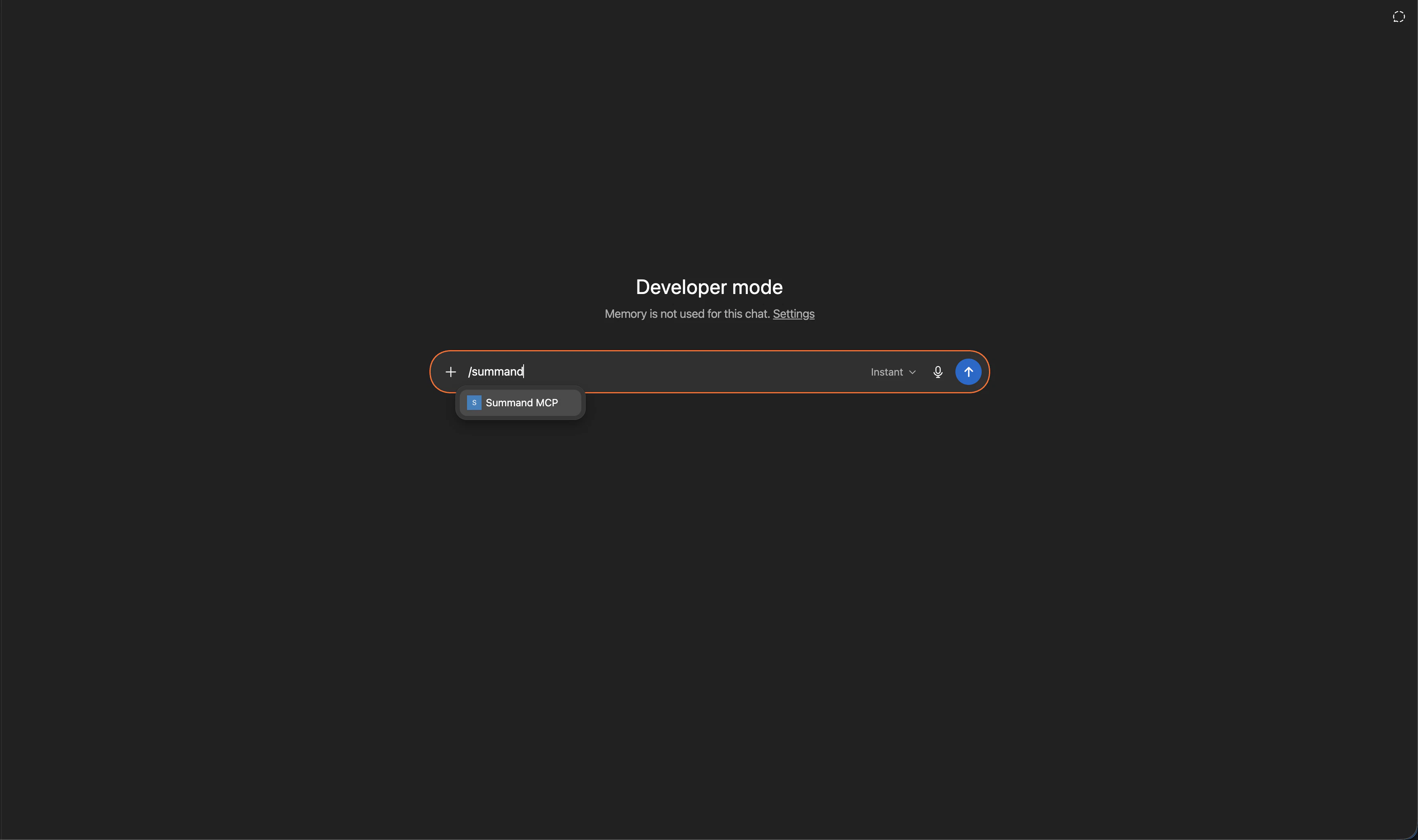
/summand — you’ll see the connector you just added, and the tools it exposes.Troubleshooting
- Client can’t discover the MCP server — make sure you’re using the full endpoint URL with
/mcpat the end.https://mcp.summand.comon its own will not work — it must behttps://mcp.summand.com/mcp. 401on every call — your token expired or was revoked. Disconnect and reconnect the integration in your client.403 Forbidden— the resource isn’t owned by or shared with your user. Check sharing in the dashboard.