

Example conversation
A typical first session walks from “what do I have?” to “what does it tell me?” in three turns.1. List your datasets
Start by asking what’s available. The client callslist_datasets (and/or list_data_connectors) and shows you everything you own or have been shared.
“List my datasets.”
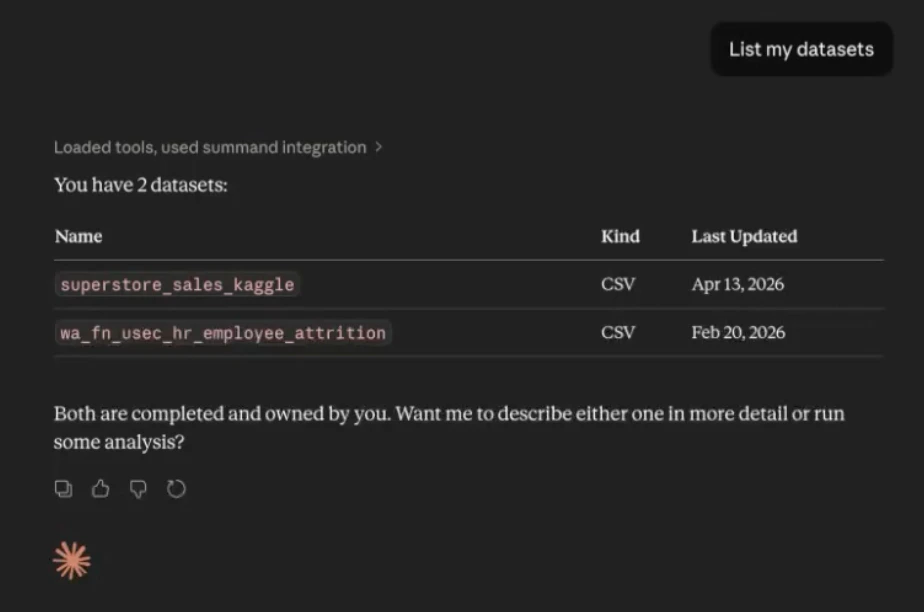
2. Dig into one of them
Pick something interesting and ask for more. The client pulls metadata, columns, and the available computed-context components in a single turn.“Tell me more about my superstore sales dataset.”
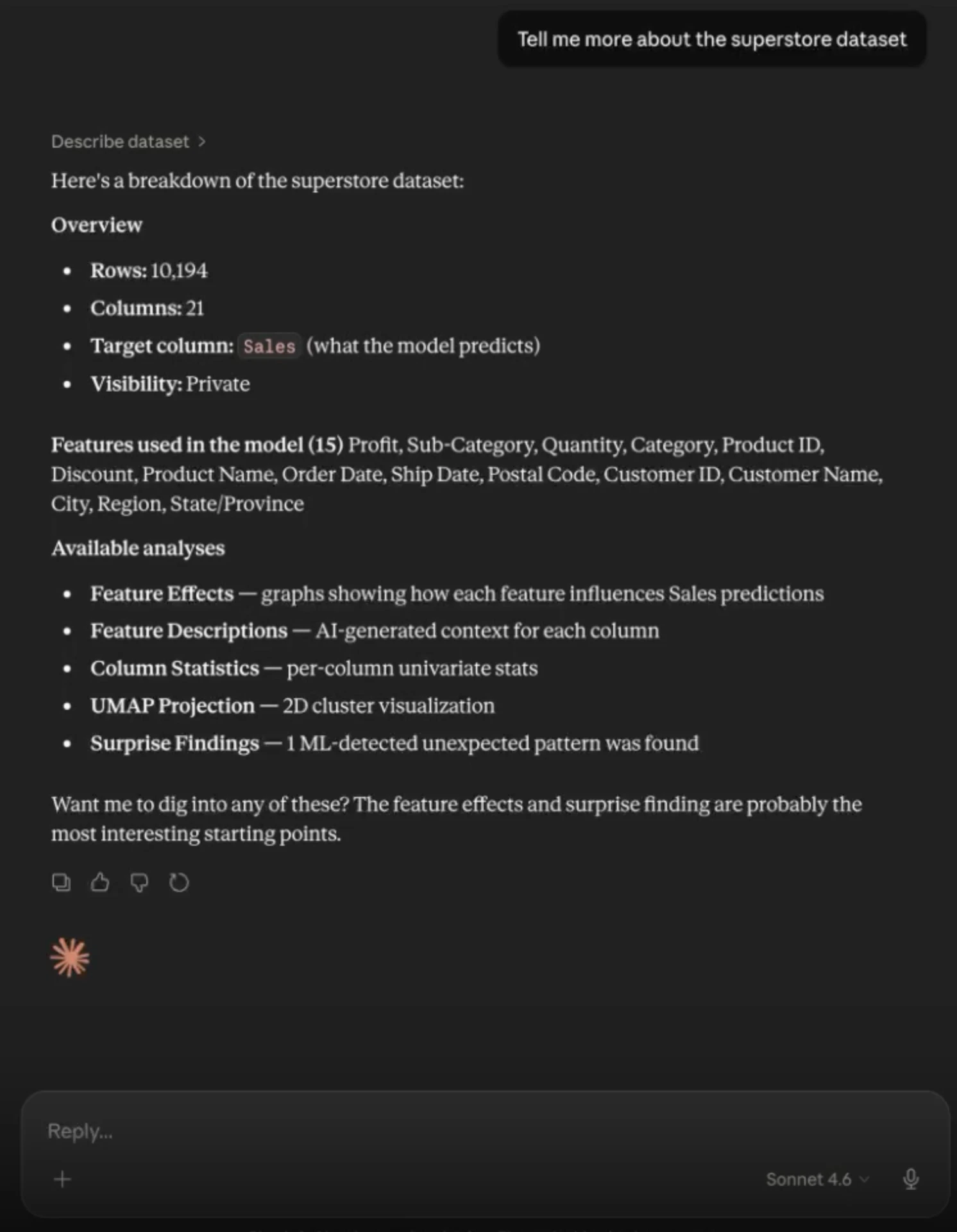
3. Pull a specific analysis component
Once you know what’s available, ask for the analysis you actually want — feature importance, surprise findings, column distributions, embeddings, anything in the computed-context layer.“Show me the feature importance graph for that dataset.”
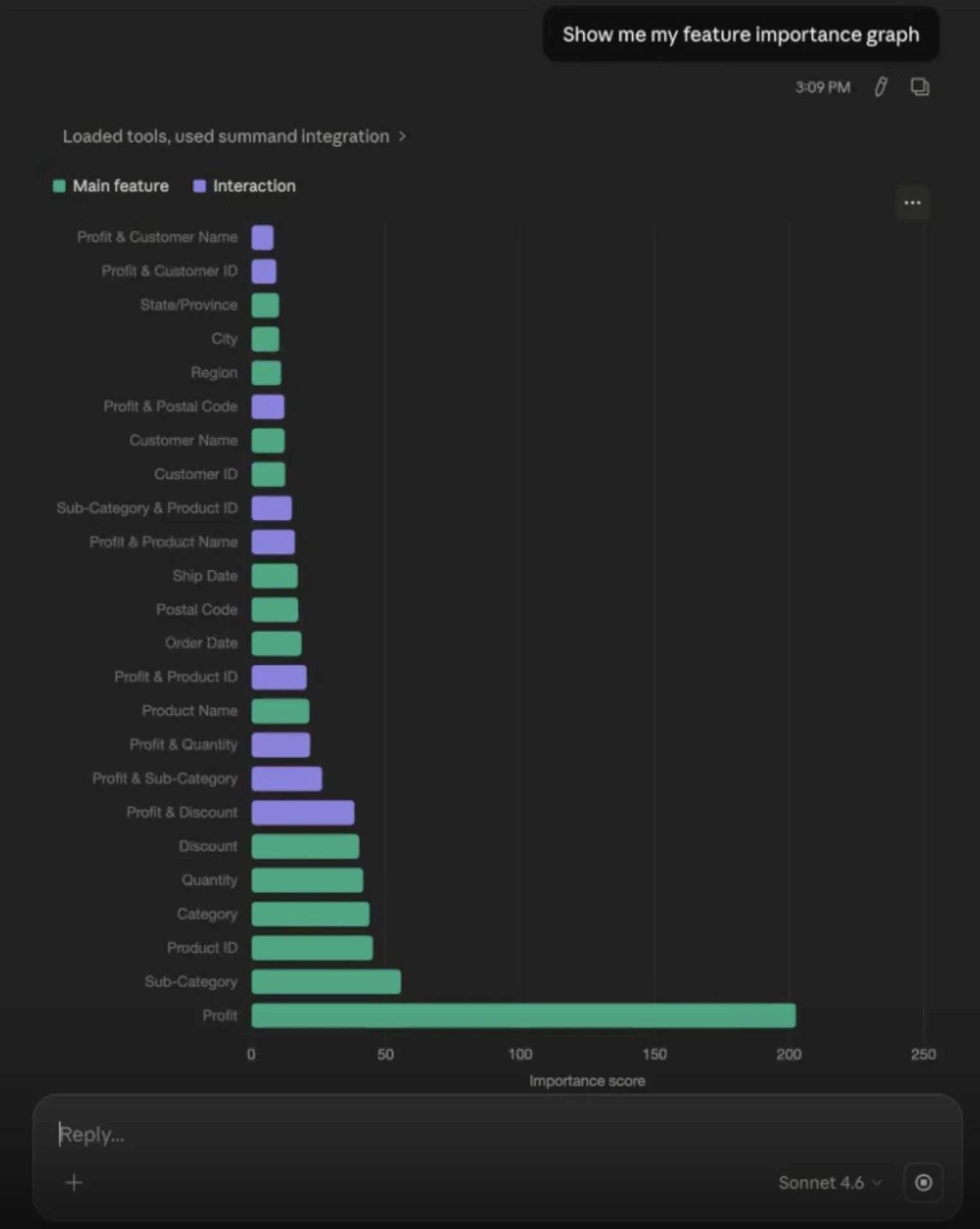
Other things to try
- Compare two datasets. “What columns are in my Q3 sales data but not in Q2?”
- Surface surprises. “What surprising findings did Summand pick up in the attrition dataset?”
- Investigate a single feature. “How does
JobLevelaffect attrition? Show me the EBM contribution.” - Audit your sources. “Which data connectors do I have, and what kind of database is each one?”